
I built it before she asked. She said I read her mind.
Coven Cottage Retreat has been gathering women in the Ontario forest since 2019: three seasons, four gatherings a year, a styled photoshoot, ritual, rest and a fire that stays lit. I found it, built a clickable demo without being asked, and sent it as a cold pitch. She said it was exactly what she’d pictured for her site. It went live on October 16, 2026.
Live, and taking applications
The site is live on covencottageretreat.ca, and Embers & Ice and Bloom & Bone are taking applications right now.
It still looks a lot like the demo I first sent her. She asked for a few changes along the way, and those are on this page too, but the site she said yes to is the site that launched.
A demo first, a website second
Before this, the retreat lived as four pages inside a photography portfolio, with the portfolio’s menu, the portfolio’s footer and the portfolio’s name on every link anyone shared. The photographs that sell the whole weekend were showing up about three hundred pixels wide.
So I built what I thought it should feel like and sent it with a brand guide, a page of notes and a pitch deck. Her answer was that it was exactly what she’d envisioned, like I’d read her mind.
The real build kept that design and put a real system behind it: her own domain, her own editor, a proper application, live availability and emails that go out on their own.
How someone gets a place
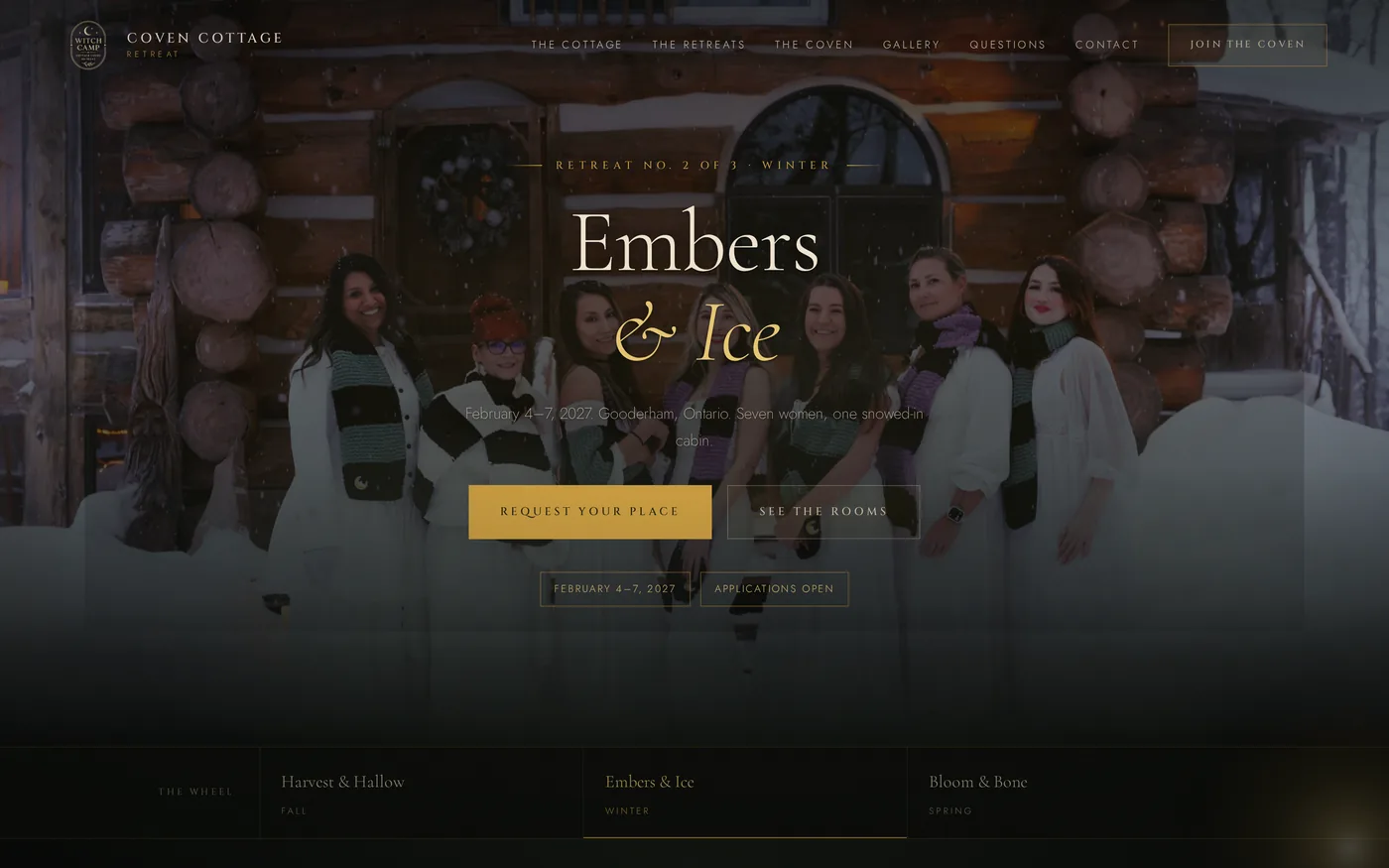
On her site, places are offered, not sold. She reads every application herself, so the whole thing is built around that.
- 01
They pick a season
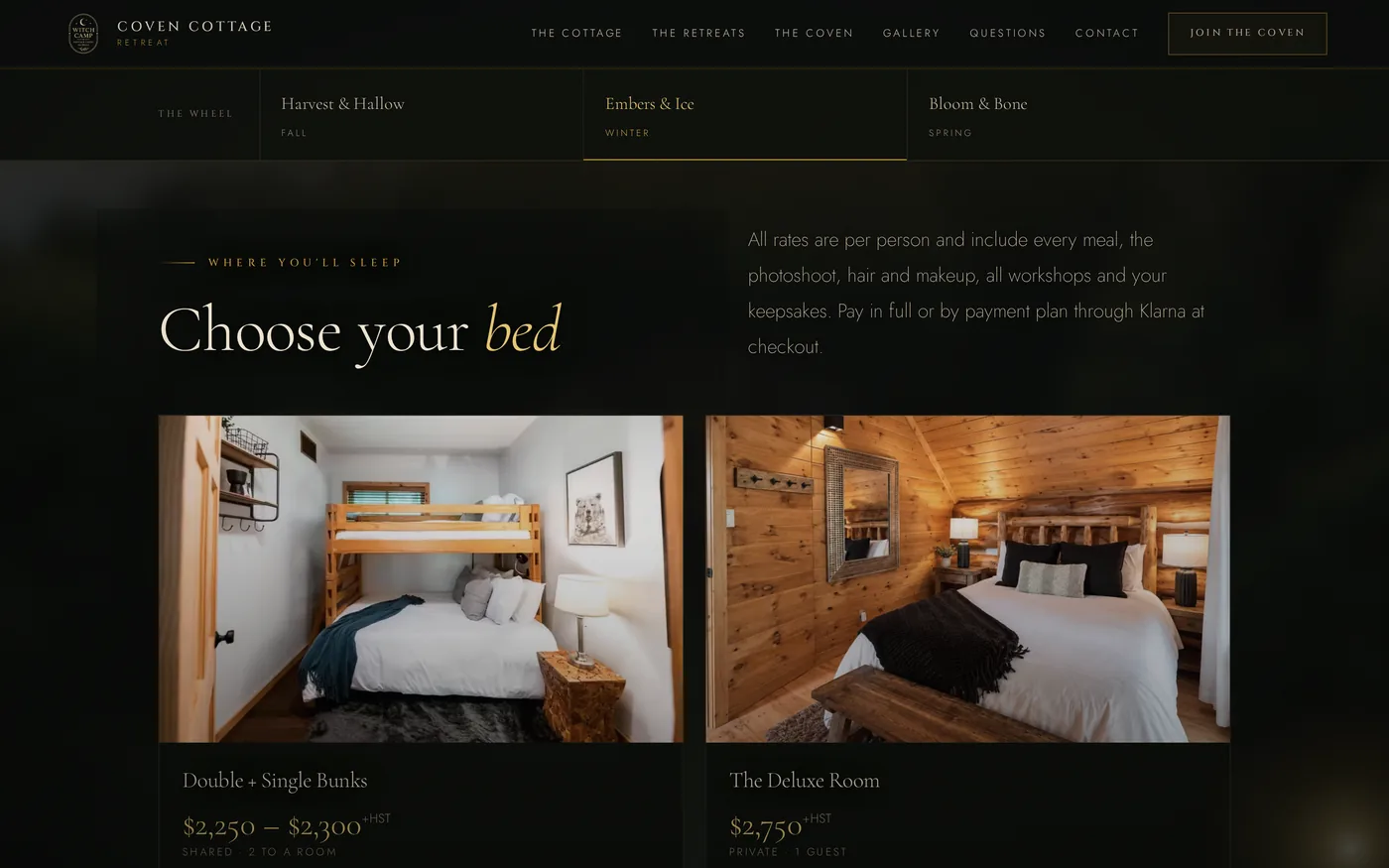
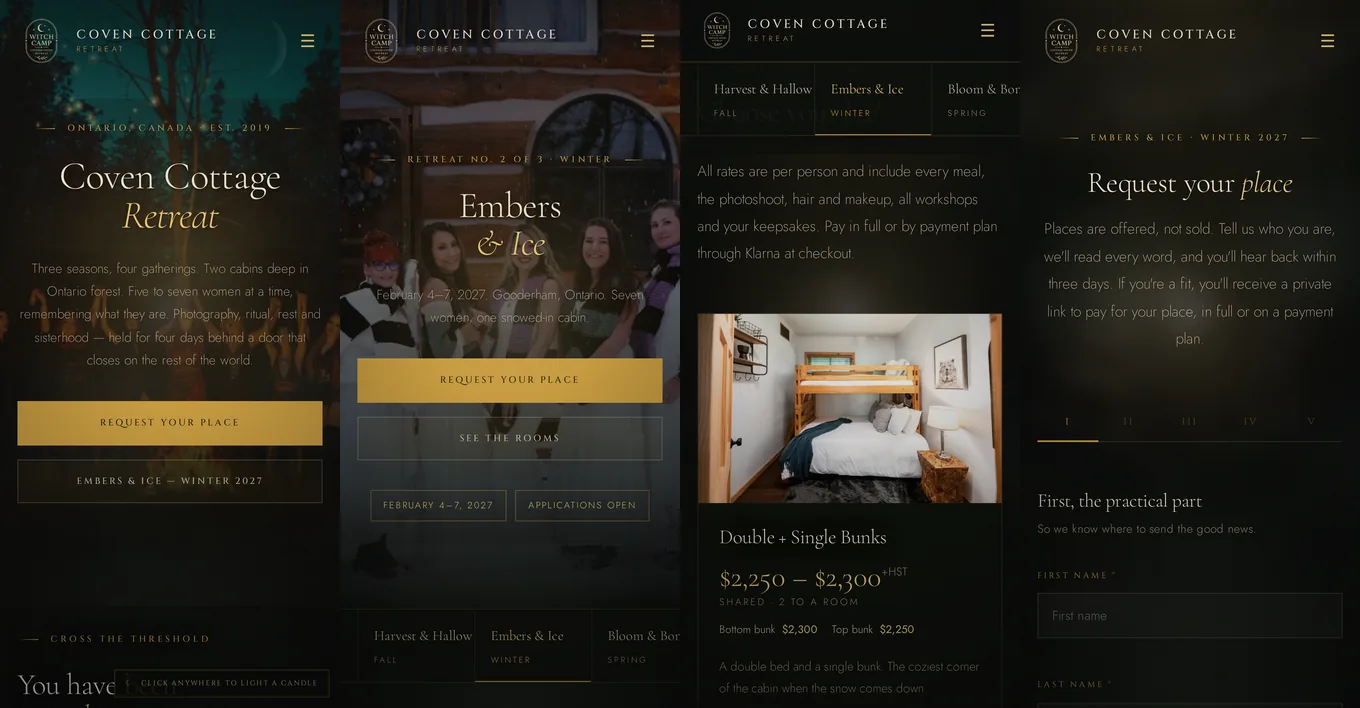
Each retreat has its own page with its dates, its rooms and every bed in them, each with its own price and live availability. What shows as open is actually open.
- 02
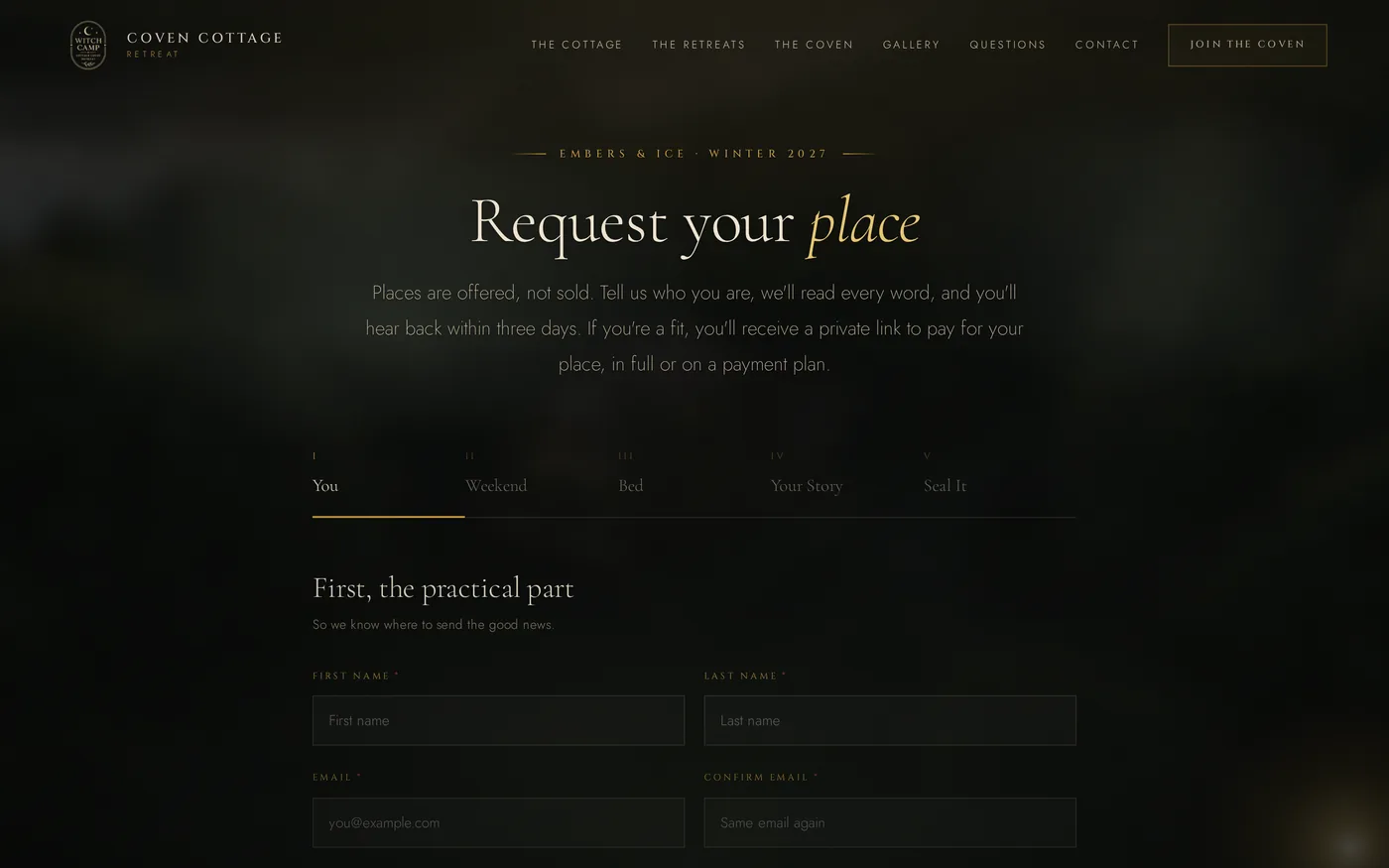
They apply in five steps
You, Weekend, Bed, Your Story, Seal It. The practical part first, then the weekend and the exact bed they want, then her own questions for that retreat, which she writes and changes herself.
- 03
She reads it
Every application lands in her editor, sorted into Needs a decision, Accepted, Waitlisted and Declined, and she gets an email the moment it arrives.
- 04
One click sends the offer
Accept sends a branded email with the Stripe payment link for that exact bed and takes the bed off the website. Waitlist and Decline send their own kind emails. Nothing is held for anyone she hasn’t said yes to.
- 05
They pay
In full or on a payment plan through Klarna, on Stripe’s own page. Prices on the site show +HST and the links charge it, so what they pay matches what they saw.
Everything she can change herself
She has her own editor, and every word, photo, date, price, room, bed, payment link, application question and email on the site lives in it. Every box already shows what the site says right now, so changing something means finding the sentence and typing over it.
The site checks for her changes about once a minute, so she never waits on me to publish anything. And if the editor is ever slow or down, the site keeps showing what it already had instead of breaking.
There’s a guide built right into the editor too: 24 sections, a search box and a glossary, written for someone who never wants to think about how websites work. Every account is in her name, and the hosting, the editor and the emails all run on free plans.
A light you carry through the cabin
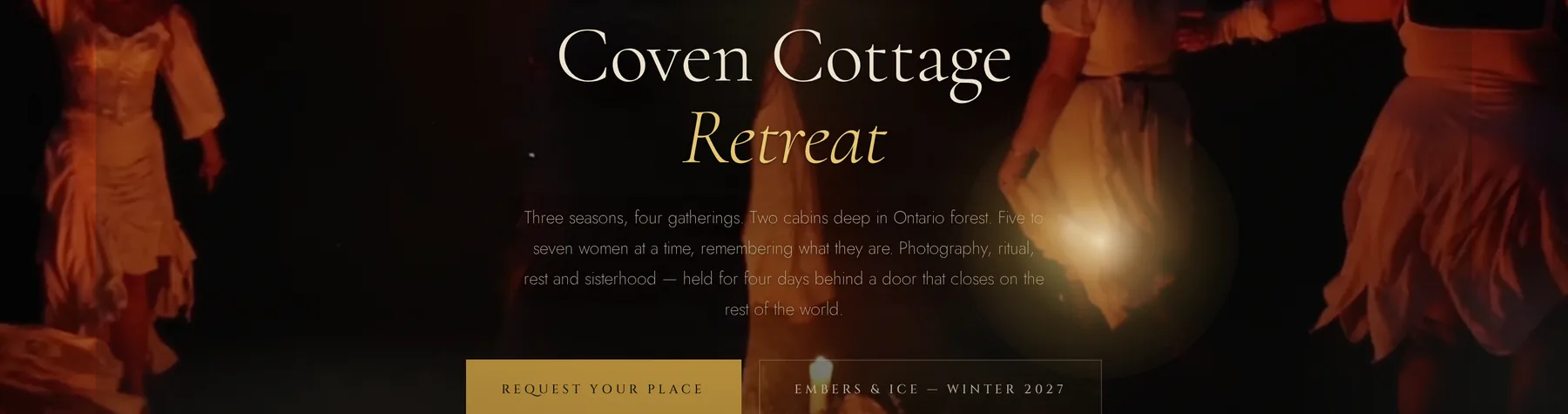
On a computer, a soft light follows your cursor around the site like you’re carrying a lantern through the cabin. Click anywhere and you light a candle right where you stopped.
In the demo, every click left a candle burning, up to thirteen at once. She asked me to change how the candles behave, so now there’s only ever one. It burns for a moment, gutters out slowly, and goes out for good once you scroll past it, so clicking around never fills the page with light.
On a phone there’s no cursor to follow, so the light just breathes softly behind everything instead.
Everything it does
Here’s all of it, one piece at a time.
- 01
Three retreats, one place each
Harvest & Hallow, Embers & Ice and Bloom & Bone each get their own page: dates, the schedule day by day, the property, the rooms and every bed. Switching a retreat between Open, Waitlist and Dates coming changes every button, card and form choice that mentions it.
- 02
Live availability
The site counts who she has accepted into each bed for each weekend, so there’s no number to keep in sync. If someone drops out, she changes their status and the bed comes back on its own.
- 03
Video where it counts
Some photo spots became video spots during the build: the front page, each retreat page and the gallery. The retreat and gallery videos sit as a still with a play button and don’t load until someone presses play.
- 04
Her photography, shown big
Her photos are the whole sell, so they get room. She uploads them full size and the site makes a fast copy for every screen. She drags a circle onto the part of a photo that matters, and the crop follows it everywhere it’s used.
- 05
Emails that go out on their own
Four of them: the thank you when someone applies, the offer, the waitlist and the gentle no. She rewords them herself, sends herself a test first, and they’re built to look right even in Outlook. She also gets a heads-up for every application, message and mailing list sign-up, and hitting reply answers that person.
- 06
Messages and the mailing list
Contact form messages land in her editor with a Needs a reply folder. Mailing list sign-ups collect in one place, never twice, and download as a file any newsletter tool can import.
- 07
Getting found
The page title, description and sharing image come from her editor and get written into the page before Google ever reads it, so search results and link previews match what she set. There’s a box to paste verification codes from Google, Pinterest, Meta and Bing.
- 08
Keeping it safe
The forms have hidden traps for bots. No secret key ever reaches the browser, and the buttons in her editor work through a signed hand-off, so nobody else can send emails as her.
Just as warm in your hand
Plenty of her people come from Instagram, Facebook and TikTok, so the phone got as much care as the desktop: the five-step application, the bed picker, the gallery and the videos all work there.
The menu opens onto the three seasons with their status right under each one, so nobody has to hunt for the retreat they came for.
What the old pages were doing
The notes I sent with the pitch listed what I could see from the outside. These are the ones the new site fixes.
- 01
It lived in someone else’s house
The retreat was four pages inside a photography portfolio, with a menu offering eight ways out and the portfolio’s name on every shared link. Now it has its own domain, its own menu and its own name, and the photography credit sits in the footer where it belongs.
- 02
Two retreats were hidden
Embers & Ice and Bloom & Bone had full pages, but nothing in the menu pointed at them. Now all three seasons sit in the menu with their status beside them.
- 03
The pages disagreed
The overview page still carried an older, more generous cancellation policy than the three retreat pages under it. The site says one thing now.
- 04
The coven didn’t add up
One page said five practitioners and the rest said four. All five are on the site now.
- 05
The photos were tiny
The pictures that sell the weekend were showing around three hundred pixels wide, from compressed copies. Now they’re her originals: 237MB of them, served as about 10MB of fast copies.
One retreat, counted
Counted against the live site and her editor.
- 3Seasonal retreats, each with its own page.
- 5Steps in the application.
- 1Click to accept someone, send the offer and take the bed off the site.
- 4Automatic emails she rewords herself.
- 10MBOf photos on the site, down from 237MB of originals.
- 24Sections in the guide built into her editor.
- 0Monthly fees for the hosting, the editor or the emails.
Launch first, then the real numbers
The site goes out today. I’ll ask her for a review in a few days, while launch is still fresh, and it’ll go up here word for word.
Then I’ll come back once a season of applications has run through it, with how it actually went.
Have something people travel for?
Retreats, workshops, gatherings: built around how you actually run them, and handed over in your name.